


TV Remote - Universal Control
4.23.14K Reviews
App Specs
- Version
- 1.5.7
- Updated On
- License
- Free
- Downloads
- 10,000,000+
- Developer
- EVOLLY.APP
- Categories
- Tools
- Platform
- Android, iOS
Screenshots
 Analysis by AppCompare
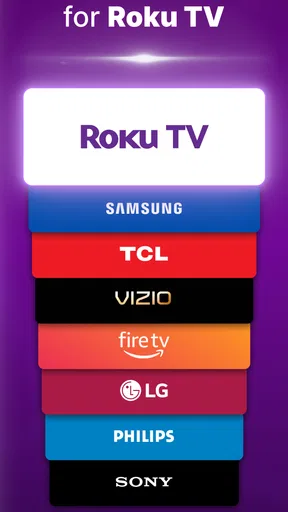
I reach for a phone remote most often when the physical one has vanished between the sofa cushions, but convenience alone does not make every remote app a good fit. TV Remote - Universal Control is a free tools app from EVOLLY.APP intended to control a range of smart TVs, including Samsung, LG, Roku, Fire TV, Vizio, TCL, and Sony models. I find it most useful as a practical backup: it can spare you a search for the handset, provided your TV and phone can communicate reliably.
A sensible first routine
My first step would be to install the app and check that the phone and television are connected to the same Wi-Fi network, then try the basic controls before settling in to watch. That simple test tells you whether the connection works in your home, where router placement, network changes, or the TV’s own settings can affect the experience. If the app does not find the television right away, I would check the network on both devices before repeatedly tapping controls.
Once connected, the everyday appeal is straightforward: use the phone for common tasks such as changing channels or adjusting volume instead of looking for the physical remote. The app is aimed at smart-TV owners rather than people who want a complete home-theater control system. Its usefulness depends on the television being compatible and reachable over the network, so I would treat it as a convenient second remote, not assume it can replace every function of the original.
Settings and habits that make it easier
Before a movie or a long episode, I would check that the phone is on the household network the TV uses. This is a small habit, but it prevents the familiar annoyance of picking up the phone only to discover that it has switched to another Wi-Fi connection. If connection trouble crops up, checking both devices’ network status is a more useful first move than assuming the app itself has stopped working.
I also recommend testing the controls you actually use, not just whether the app connects. Try volume, navigation, and the controls you rely on while watching. That gives you a realistic sense of whether the phone layout suits your routine and whether response feels quick enough from your usual seat. If a physical remote is still close by, keep it handy until you have confirmed the app handles the basic actions you need.
When a phone remote is the better choice
The strongest use case is an ordinary evening when the TV is already on and the remote has gone missing. I can keep watching, adjust the volume, or move around the interface without turning the room upside down. It can also be handy when the original remote is temporarily out of reach, or when I want one familiar device in hand rather than juggling a television handset and my phone.
Compared with a standard physical remote, a phone is easier to locate if it is already with you, but it is not automatically more dependable. The handset works without needing the phone’s battery, screen, or network connection, while this app relies on those being available. Compared with a manufacturer’s own remote app, a universal option may be appealing if a household has televisions from different brands; however, a brand-specific app can be the more sensible choice when you want controls tailored to one television. I would choose based on the equipment at home, rather than the word “universal” alone.
Worth Reading Before You Choose

EA SPORTS FC Mobile 26 Is a Bigger Football Game, but It Takes Time

Flipboard Shows What News Apps Must Do Beyond the Feed

Switching to Android Auto Means Rethinking Your Driving Routine

Google Calendar Makes a Crowded Week Easier to Manage

Ludo King Makes the Most of the Minutes Between Plans

Baby Panda World Brings Quick Play to Modern Phones, but Its Game Library Feels Busy
Small frictions and realistic limits
Connection reliability is the main trade-off. A phone remote that feels responsive one evening may be less convenient if the TV drops off the network or the phone has joined another one. I have also found that a brief delay can make rapid navigation less pleasant than using a physical handset. For routine volume changes, that may not matter; for precise, fast menu work, it can.
Compatibility deserves a little care, too. The app supports a broad selection of brands, but that does not guarantee every model or setup will behave alike. If the television is older, or if it is not a smart model, I would check whether it can be controlled through the network before relying on the app. When dependable access to every button matters, keeping the original remote is the safer choice.
Getting Started with TV Remote - Universal Control
First things first, downloading the TV Remote - Universal Control app is a breeze. Available for both Android and iOS, it just takes a few clicks, and voila! The app is ready to go. The setup process is pretty straightforward, and even if you’re not a tech wizard, you’ll find it user-friendly.
Once installed, the app asks you to connect to a Wi-Fi network. This is important because it uses your home network to communicate with your TV. So, make sure your devices are on the same network. It’s as simple as syncing your phone to your smart TV. And let me tell you, it feels like magic when it all comes together.
Features That Make It Stand Out
Now, onto the juicy stuff — the features! This app is packed with goodies that make controlling your TV incredibly convenient. From changing channels to adjusting the volume, it’s got all the basics covered. But it doesn’t stop there.
- Voice Control: Who needs buttons when you can just talk to your remote? This feature is a game-changer, especially when you’re too comfy to move.
- Universal Compatibility: Whether you’ve got a Samsung, LG, or Sony, this app has you covered. It’s like having every remote you’ve ever lost, right in your pocket.
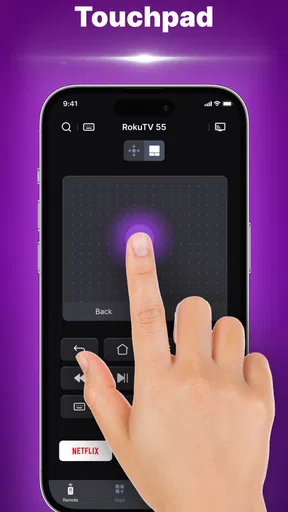
- Customizable Interface: Tailor the controls to fit your needs. It’s super intuitive and ensures you’re only a tap away from your favorite shows.
Everyday Use and Functionality
In day-to-day use, the app performs admirably. There’s a slight delay sometimes, but it’s generally reliable. The app’s interface is clean, with no unnecessary clutter, which is a big win in my book. It’s perfect for those days when the last thing you want to deal with is technology that doesn’t cooperate.
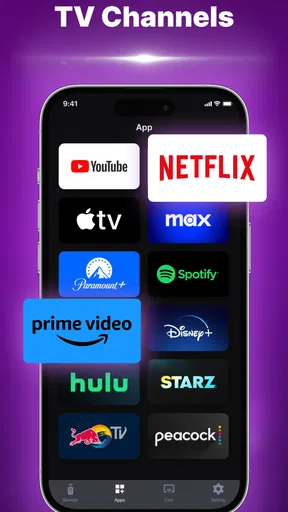
The app also integrates well with streaming platforms. If you’re like me and binge-watch shows on Netflix or Hulu, having the ability to navigate through these apps easily is a massive plus. It makes the whole viewing experience seamless.
What Could Be Improved
While I’m a fan of TV Remote - Universal Control, it’s not without its quirks. Occasionally, the app requires a restart to reconnect with the TV, which can be a tad annoying. Also, for some older TV models, compatibility can be hit or miss. It’s worth checking the compatibility list before diving in.
Another thing to note is that while the app is free, there are in-app purchases for premium features. These aren’t necessary for basic functionality but can enhance the experience if you’re willing to shell out a few bucks.
Checking the fit before relying on it
For a household with more than one supported television brand, I would test the app with the TV I use most before expecting it to simplify every room. A universal remote app can reduce the number of physical handsets you reach for, but it does not mean every set will respond in the same way. Treat each television as its own setup, and keep the original handset nearby until you know the phone controls cover your usual routine.
It is also worth deciding when the phone is actually the better tool. If I am already holding it while browsing for something to watch, tapping a control there feels natural. If I am putting the phone down to avoid distractions, reaching for a dedicated remote may be more comfortable. The app is most convincing when it solves a specific inconvenience, not when it adds another device to manage without a clear benefit.
Who should consider another option
I would be cautious about relying on this as the only remote if the television is not consistently connected to the home network, if several people need to control it without sharing a phone, or if quick, uninterrupted access matters more than convenience. In those situations, the original remote is simpler. A manufacturer’s app may also be preferable if you mainly use one brand and want an option designed specifically around that TV. For a mixed-brand home, this universal approach is worth trying, but I would judge it by the models and network setup you actually have.
Cost, support, and what to expect
The app is free to install, with optional in-app purchases priced from $4.49 to $32.99 per item. I would start with the basic controls and only consider paying if a feature I genuinely need is part of a paid option; there is little reason to spend before checking whether the app connects and works well with your television. It is rated for Everyone, and the current version is 1.5.7. It requires Android 6.0 or later on Android devices.
Its popularity gives prospective users some context without guaranteeing a perfect match for every setup: it has a 4.2 average from around 93,000 ratings, with over 10 million installs. Those figures suggest many people have tried it, but a home-network remote still has to work with your specific TV. If you are deciding whether to keep it, the practical test is whether it can reconnect reliably and handle the controls you use, not how many other people have downloaded it.
A more dependable viewing routine
I would make the app part of a simple backup routine rather than depend on it blindly: confirm the connection before settling down, keep the phone charged, and leave the physical remote where someone can find it if the network becomes uncooperative. That approach is especially useful in a shared living room. One person can use the phone while another keeps the handset nearby, and nobody has to interrupt a film just to troubleshoot a connection.
If a reconnection problem happens, restarting the app may help, as the occasional restart needed in my experience suggests. I would also check that the phone has not moved to a different network and that the TV remains reachable there. These checks are mundane, but they are more actionable than expecting a remote app to behave like an infrared handset in every circumstance.
Final Thoughts
Overall, TV Remote - Universal Control is a lifesaver for anyone who’s ever misplaced a remote. It’s user-friendly, versatile, and brings a touch of futuristic convenience to your living room. While it has a few hiccups, the pros far outweigh the cons.
So, if you’re tired of playing hide and seek with your remote, give this app a shot. It might just become the unsung hero of your home entertainment setup. Happy viewing!
Pros
- Wide compatibility with various TV brands.
- User-friendly interface and easy setup.
- Quick response time for remote commands.
- Customizable buttons for personalized use.
- Supports voice commands for convenience.
Cons
- Ads can be intrusive during use.
- Limited free features; premium needed.
- Requires internet for full functionality.
- Some TVs may not support all features.
- Occasional connectivity issues with older TVs.
FAQs for TV Remote - Universal Control
Is TV Remote - Universal Control compatible with all TV brands?
TV Remote - Universal Control is designed to work with a wide range of TV brands, including popular ones like Samsung, LG, Sony, and Panasonic. However, compatibility may vary depending on the model and the smart features of your TV. It's recommended to check the app’s compatibility list on the download page before installing.
What features does TV Remote - Universal Control offer?
The app provides a variety of features such as channel navigation, volume control, and input switching. It also supports voice commands, customizable remote layouts, and a program guide. Some advanced features might require in-app purchases or a premium subscription, so it's worth reviewing the app’s feature list.
Does TV Remote - Universal Control require an internet connection?
While basic functionalities like changing channels and adjusting volume may not require an internet connection, features such as voice control, program guides, and firmware updates usually do. An internet connection can enhance the app’s capabilities, providing a more seamless user experience.
How user-friendly is the interface of TV Remote - Universal Control?
The app is designed with a user-friendly interface that ensures easy navigation. It features intuitive controls and clear button layouts, making it accessible even for users who are not tech-savvy. The app also allows customization options, letting users tailor the interface to their preferences.
Is there any customer support available for TV Remote - Universal Control?
Yes, the app offers customer support through various channels, including email and a support section within the app. Users can access FAQs, troubleshooting guides, and direct support to resolve issues. It's advisable to check the app’s support page for the most efficient way to get assistance.


